Access sunrise, sunset, and solar position data from Ambee Astronomy
Retrieve local sunrise, sunset, azimuth, and elevation data for any location, ready for fast integration.
Station-only
Satellite-only
Model-only
High
Low
High
High
High
Medium
Low
Medium
High
Medium
Medium
High
Yes
No
No
Some
Full
Limited
No
Limited
Lorem ipsum dolor sit amet, consectetur adipiscing elit, sed do eiusmod tempor incididunt ut labore et dolore magna aliqua. Ut enim ad minim veniam, quis nostrud exercitation ullamco laboris nisi ut aliquip ex ea commodo consequat. Duis aute irure dolor in reprehenderit in voluptate velit esse cillum dolore eu fugiat nulla pariatur. Excepteur sint occaecat cupidatat non proident, sunt in culpa qui officia deserunt mollit anim id est laborum.
Retrieve local sunrise, sunset, azimuth, and elevation data for any location, ready for fast integration.







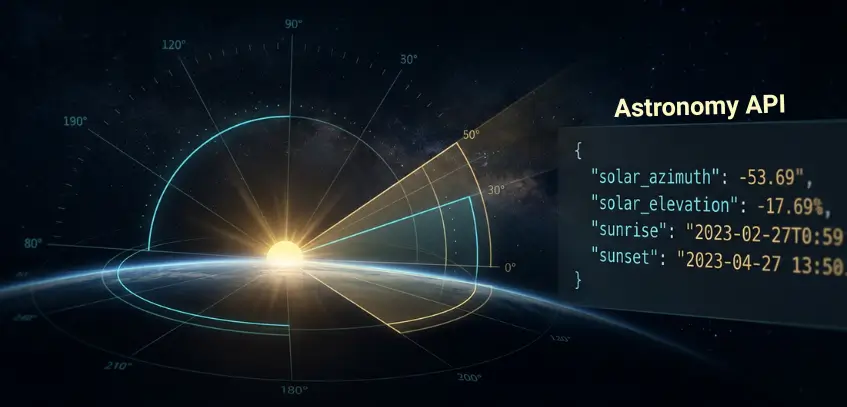
Sunrise, sunset, solar azimuth, and solar elevation for any location and hour.

Available for any latitude and longitude on Earth, with automatic timezone detection.

Resolve sunrise, sunset, and solar position to exact lat/lng coordinates or a named place, for any point on Earth.

Sunrise and sunset returned as ISO 8601 timestamps with local timezone offsets applied, no manual conversion needed.

Access past, present, and forward-looking astronomy data in a consistent schema.

Six core fields returned in a compact structure, ready to integrate without manual conversion.
Reliable astronomy data depends on precise solar modeling and clean timezone handling. Ambee gets both right for any coordinate on Earth.
Latitude and longitude inputs are mapped to the exact geographic location and local timezone.
Astronomical models calculate solar azimuth, elevation, sunrise, and sunset for the requested timestamp.
Local timezone offsets are applied automatically, so outputs are immediately usable.
Historical, latest, and forecast endpoints follow the same response structure for easier implementation.
Standardized response formatting keeps integration stable across products and workflows.
Use solar azimuth and elevation to support solar panel orientation, generation modeling, and daylight forecasting.
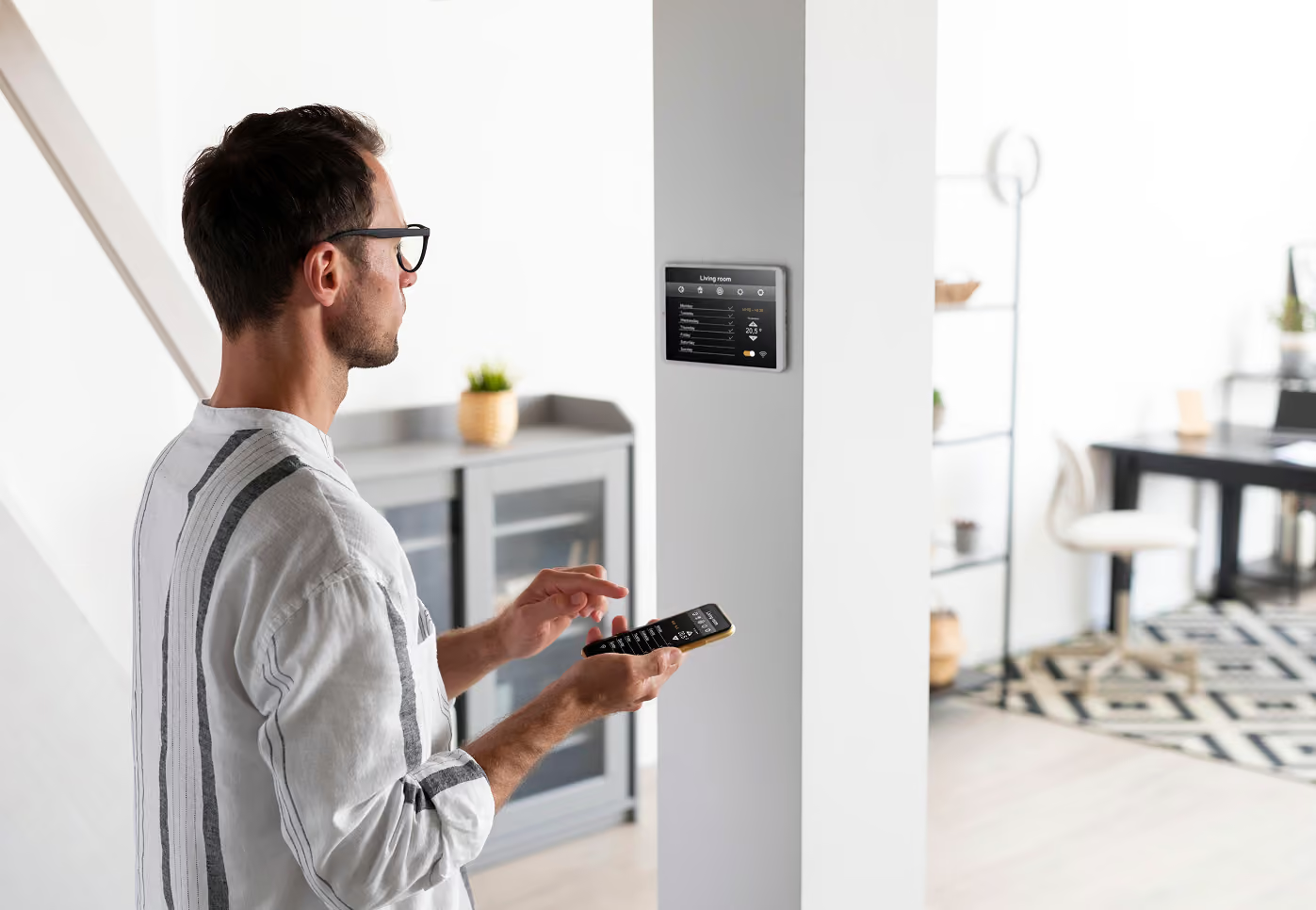
Trigger lighting, blinds, and automation systems based on actual sunrise and sunset for each user’s location.
Align field operations with real daylight hours and changing seasonal light exposure.

Model daylight exposure and shadow movement across structures and outdoor spaces.
Plan routes and outdoor work schedules around changing daylight conditions.

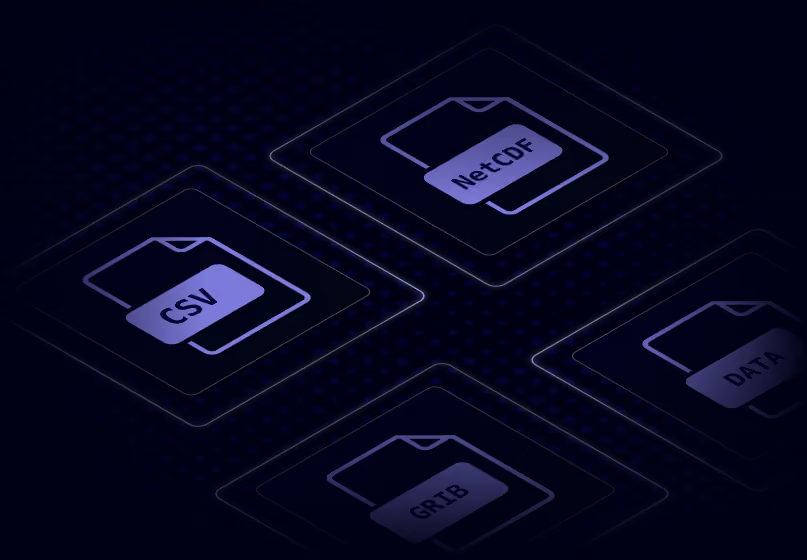
Instantly integrate Ambee astronomy data into any workflow, available in any format


const http = require("https");

const options = {
	"method": "GET",
	"hostname": "api.ambeedata.com",
	"port": null,
	"path": "/astronomical/solar-parameters/latest?lat=37.78229&lng=-122.39117",
	"headers": {
		"x-api-key": "API_KEY",
		"Content-type": "application/json"
	}
};

const req = http.request(options, function (res) {
	const chunks = [];

	res.on("data", function (chunk) {
		chunks.push(chunk);
	});

	res.on("end", function () {
		const body = Buffer.concat(chunks);
		console.log(body.toString());
	});
});

req.end();
const http = require('https');
const options = {
method: 'GET',
hostname: 'api.ambeedata.com',
port: null,
path: '/astronomical/solar-parameters/latest?lat=37.78229&lng=-122.39117',
headers: {
'x-api-key': 'API_KEY',
'Content-type': 'application/json'
}
};
const req = http.request(options, function (res) {
const chunks = [];
res.on('data', function (chunk) {
chunks.push(chunk);
});
res.on('end', function () {
const body = Buffer.concat(chunks);
console.log(body.toString());
});
});
req.end();OkHttpClient client = new OkHttpClient();
Request request = new Request.Builder()
.url("/astronomical/solar-parameters/latest?lat=37.78229&lng=-122.39117")
.get()
.addHeader("x-api-key", "API_KEY")
.addHeader("Content-type", "application/json")
.build();
Response response = client.newCall(request).execute();using System.Net.Http.Headers;
var client = new HttpClient();
var request = new HttpRequestMessage
{
Method = HttpMethod.Get,
RequestUri = new Uri("https://api.ambeedata.com/astronomical/solar-parameters/latest?lat=37.78229&lng=-122.39117"),
Headers =
{
{ "x-api-key", "API_KEY" },
},
};
using (var response = await client.SendAsync(request))
{
response.EnsureSuccessStatusCode();
var body = await response.Content.ReadAsStringAsync();
Console.WriteLine(body);
}package main
import (
"fmt"
"net/http"
"io"
)
func main() {
url := "https://api.ambeedata.com/astronomical/solar-parameters/latest?lat=37.78229&lng=-122.39117"
req, _ := http.NewRequest("GET", url, nil)
req.Header.Add("x-api-key", "API_KEY")
req.Header.Add("Content-type", "application/json")
res, _ := http.DefaultClient.Do(req)
defer res.Body.Close()
body, _ := io.ReadAll(res.Body)
fmt.Println(res)
fmt.Println(string(body))
}<?php
$curl = curl_init();
curl_setopt_array($curl, [
CURLOPT_URL => "https://api.ambeedata.com/astronomical/solar-parameters/latest?lat=37.78229&lng=-122.39117",
CURLOPT_RETURNTRANSFER => true,
CURLOPT_ENCODING => "",
CURLOPT_MAXREDIRS => 10,
CURLOPT_TIMEOUT => 30,
CURLOPT_HTTP_VERSION => CURL_HTTP_VERSION_1_1,
CURLOPT_CUSTOMREQUEST => "GET",
CURLOPT_HTTPHEADER => [
"Content-type: application/json",
"x-api-key: API_KEY"
],
]);
$response = curl_exec($curl);
$err = curl_error($curl);
curl_close($curl);
if ($err) {
echo "cURL Error #:" . $err;
} else {
echo $response;
}curl --request GET \
--url 'https://api.ambeedata.com/astronomical/solar-parameters/latest?lat=37.78229&lng=-122.39117' \
--header 'Content-type: application/json' \
--header 'x-api-key: API_KEY'require 'uri'
require 'net/http'
url = URI("https://api.ambeedata.com/astronomical/solar-parameters/latest?lat=37.78229&lng=-122.3911789055&lng=77.574044")
http = Net::HTTP.new(url.host, url.port)
http.use_ssl = true
request = Net::HTTP::Get.new(url)
request["x-api-key"] = 'API_KEY'
request["Content-type"] = 'application/json'
response = http.request(request)
puts response.read_bodyimport http.client
conn = http.client.HTTPSConnection("api.ambeedata.com")
headers = {
'x-api-key': "API_KEY",
'Content-type': "application/json"
}
conn.request("GET", "/astronomical/lunar-parameters/latest?lat=37.78229&lng=-122.39117", headers=headers)
res = conn.getresponse()
data = res.read()
print(data.decode("utf-8"))const http = require('https');
const options = {
method: 'GET',
hostname: 'api.ambeedata.com',
port: null,
path: '/astronomical/lunar-parameters/latest?lat=37.78229&lng=-122.39117',
headers: {
'x-api-key': 'API_KEY',
'Content-type': 'application/json'
}
};
const req = http.request(options, function (res) {
const chunks = [];
res.on('data', function (chunk) {
chunks.push(chunk);
});
res.on('end', function () {
const body = Buffer.concat(chunks);
console.log(body.toString());
});
});
req.end();OkHttpClient client = new OkHttpClient();
Request request = new Request.Builder()
.url("https://api.ambeedata.com/astronomical/lunar-parameters/latest?lat=37.78229&lng=-122.39117")
.get()
.addHeader("x-api-key", "API_KEY")
.addHeader("Content-type", "application/json")
.build();
Response response = client.newCall(request).execute();using System.Net.Http.Headers;
var client = new HttpClient();
var request = new HttpRequestMessage
{
Method = HttpMethod.Get,
RequestUri = new Uri("https://api.ambeedata.com/astronomical/lunar-parameters/latest?lat=37.78229&lng=-122.39117"),
Headers =
{
{ "x-api-key", "API_KEY" },
},
};
using (var response = await client.SendAsync(request))
{
response.EnsureSuccessStatusCode();
var body = await response.Content.ReadAsStringAsync();
Console.WriteLine(body);
}package main
import (
"fmt"
"net/http"
"io"
)
func main() {
url := "https://api.ambeedata.com/astronomical/lunar-parameters/latest?lat=37.78229&lng=-122.39117"
req, _ := http.NewRequest("GET", url, nil)
req.Header.Add("x-api-key", "API_KEY")
req.Header.Add("Content-type", "application/json")
res, _ := http.DefaultClient.Do(req)
defer res.Body.Close()
body, _ := io.ReadAll(res.Body)
fmt.Println(res)
fmt.Println(string(body))
}<?php
$curl = curl_init();
curl_setopt_array($curl, [
CURLOPT_URL => "https://api.ambeedata.com/astronomical/lunar-parameters/latest?lat=37.78229&lng=-122.39117",
CURLOPT_RETURNTRANSFER => true,
CURLOPT_ENCODING => "",
CURLOPT_MAXREDIRS => 10,
CURLOPT_TIMEOUT => 30,
CURLOPT_HTTP_VERSION => CURL_HTTP_VERSION_1_1,
CURLOPT_CUSTOMREQUEST => "GET",
CURLOPT_HTTPHEADER => [
"Content-type: application/json",
"x-api-key: API_KEY"
],
]);
$response = curl_exec($curl);
$err = curl_error($curl);
curl_close($curl);
if ($err) {
echo "cURL Error #:" . $err;
} else {
echo $response;
}curl --request GET \
--url 'https://api.ambeedata.com/astronomical/lunar-parameters/latest?lat=37.78229&lng=-122.39117' \
--header 'Content-type: application/json' \
--header 'x-api-key: API_KEY'require 'uri'
require 'net/http'
url = URI("https://api.ambeedata.com/astronomical/lunar-parameters/latest?lat=37.78229&lng=-122.39117")
http = Net::HTTP.new(url.host, url.port)
http.use_ssl = true
request = Net::HTTP::Get.new(url)
request["x-api-key"] = 'API_KEY'
request["Content-type"] = 'application/json'
response = http.request(request)
puts response.read_body{
"message": "success",
"data": [
{
"lat": 37.75,
"lng": -122.4,
"timezone": "America/Los_Angeles",
"timestamp": "2026-06-05T05:00:00.000Z",
"solar_azimuth": 315.56,
"solar_elevation": -15.41,
"sunrise": "2026-06-05T05:48:09-07:00",
"sunset": "2026-06-05T20:27:11-07:00"
}
]
}{
"message": "success",
"data": [
{
"lat": 37.75,
"lng": -122.4,
"timezone": "America/Los_Angeles",
"timestamp": "2026-06-05T00:00:00.000Z",
"moonrise": "2026-06-05T00:07:36-07:00",
"moonset": "2026-06-05T10:21:03-07:00",
"moon_illumination": 75.97,
"moon_phase": "Waning Gibbous"
}
]
}Sign up for an Ambee account and generate your API key from the dashboard.
Select the endpoint based on what you need: present conditions, historical data, or forecasts
Specify the location using latitude and longitude coordinates, ZIP codes, or custom boundaries.
Include your API key in the request header. Receive a structured JSON response.
Real feedback from real innovators





.svg)














Common questions about Ambee's astronomy data
An astronomy API is a programmatic interface that returns solar event data, such as sunrise and sunset times, and solar position data, such as azimuth and elevation, for any geographic coordinate. Developers use astronomy APIs to power solar energy systems, smart lighting, agricultural planning tools, and photography apps.
The API returns eight fields: latitude, longitude, IANA timezone, UTC timestamp, solar azimuth (the sun's compass direction in degrees), solar elevation (the sun's angle above the horizon in degrees), sunrise time, and sunset time. Sunrise and sunset are returned in the location's local timezone with offset.
Local time. Sunrise and sunset are returned as ISO 8601 timestamps with the location's timezone offset (e.g., +05:30 for India Standard Time). Most competing astronomy APIs return UTC by default, which shifts conversion effort to the developer. Ambee handles that for you.
Yes. Sunrise and sunset calculations include standard atmospheric refraction corrections (accounting for solar radius and refraction effects) so that the returned times reflect the sun's apparent position on the horizon, not just its geometric position. Under standard atmospheric conditions, rise and set times are accurate to within 1-2 minutes.
Solar azimuth is the sun's compass direction, measured in degrees clockwise from true north. 0° is north, 90° is east, 180° is south, and 270° is west. This tells you which direction the sun is shining from at a given location and time. It is the standard reference used in solar tracking systems, building design, and navigation.
Solar elevation is the sun's angle above the horizon, measured in degrees. A value of 0° means the sun is on the horizon (sunrise or sunset). 90° means directly overhead. Negative values mean the sun is below the horizon. This is critical for solar energy yield calculations, shadow analysis, and daylight modeling.
Yes. The API returns data for any latitude-longitude pair on Earth. No regional restrictions. No coverage gaps. The timezone is auto-detected from the coordinates you provide.
Yes. Sign up for Ambee's API dashboard to get a free evaluation trial: 100 API records per day for 15 days. No credit card required.
Yes. Ambee offers weather, air quality, pollen, wildfire, natural disaster, and ILI (influenza-like illness) APIs. Combine sunrise and sunset data with weather forecasts for solar irradiance modeling. Pair solar position with air quality data for UV exposure estimates. All through a single API key.
Three things set it apart. First, it returns solar azimuth and solar elevation alongside sunrise and sunset, not just event times. Second, it is part of Ambee's broader environmental intelligence platform, so you can layer in weather, AQ, and pollen data without managing separate providers. Third, every response is timezone-aware with local timestamps and refraction-corrected timing out of the box.
JSON. Timestamps use ISO 8601 format. Sunrise and sunset include the local timezone offset. Solar azimuth and elevation are returned as floating-point degree values.
Pass your API key in the x-api-key request header. This is consistent across all Ambee APIs. Generate your key from the API dashboard after signing up.